
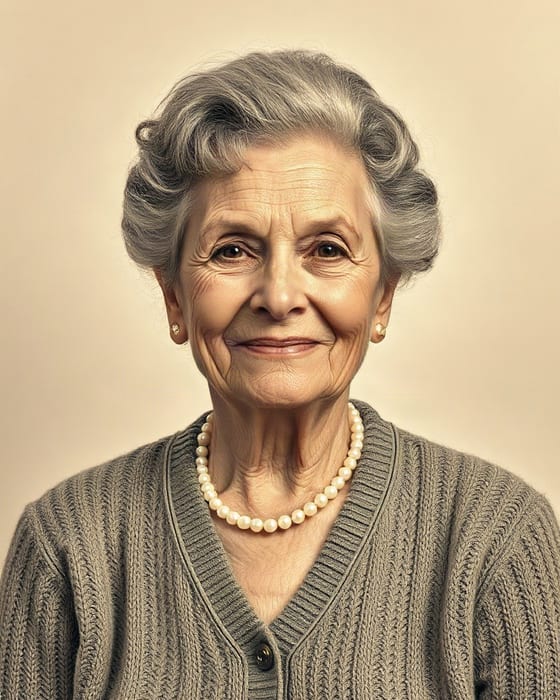
🕊️ Respectful Family Tribute & Keepsake

Reunite With Loved Ones in a Living AI Memorial Video

Upload a cherished photo of a parent, grandparent, or loved one who passed away—alongside your own photo—to create a gentle, respectful, heartwarming embrace or living portrait keepsake.

Step 1

Upload 2 Photos (or 1 Group Photo)

💡 Best Result Tips: Use clear, front-facing photos from the chest/shoulders up with unobstructed faces. Avoid sunglasses or extreme side profiles.
🔒 100% Private & Encrypted ⚡ No Subscription Required 🛡️ 1-Click Credit Refund Guarantee
Live Before & After

Real Input Photos → 1080p Output

2 Cherished Family Photos (Before)
Sample Input Portrait A Input Photo A
+
Sample Input Portrait B Input Photo B
▼ Kling 1.6 Cinema Motion (5s 1080p HD) ▼
5s HD Memorial Embrace (After)
⚡ Single Video Pass: $6.99 One-time payment • No monthly subscription
View Passes →
⚡ Quick Answer & Overview

How Does the AI Memorial Video Generator — Reunite & Hug Deceased Loved Ones Work?

To create an AI memorial video or hug a deceased loved one in a video, upload their portrait in Box 1 and your portrait in Box 2 on AmieLove AI Memorial Studio (or upload their solo portrait to animate a gentle smile). Our Kling 1.6 pipeline preserves authentic facial identity and renders a peaceful 5-second 1080p HD video in ~40 seconds with a $6.99 one-time pass.

  1. Step 1

    Upload Your Loved One’s Portrait

    Upload a clear portrait of your late parent, grandparent, or spouse in Box 1. Upload a second family member’s photo in Box 2 to create a reunion hug, or leave Box 2 empty to animate a solo living portrait.

  2. Step 2

    Respectful Identity-Preserving AI Synthesis

    Our memorial pipeline avoids exaggerated movements, focusing on warm, familiar eye contact, gentle smiles, and a natural, comforting embrace in a unified warm background.

  3. Step 3

    Download Private Watermark-Free Keepsake MP4

    Save the 1080p HD video privately to share with family members at celebrations of life, anniversaries, or family memorials.

💖 4.9 / 5.0 From 380+ Families & Couples

Real Memories Brought Back to Life

🕊️ Family Memorial ★★★★★

“My mom cried happy tears seeing her dad hug her again”

“My grandfather passed away in 2018 and we only had an old solo photo of him. I uploaded his portrait and a photo of my mom, and the 5-second hug video looked so natural and peaceful. Best $6.99 I have ever spent.”

— Sarah M. • Verified Single Pass & 20-Video Pack Buyer (Ohio, US)
🧒 Hug Younger Self ★★★★★

“Did the Hug My Younger Self trend without a monthly subscription!”

“Every other app wanted $29.99/month just to make one video. AmieLove let me upload my 1998 school photo and a selfie from today for a one-time $6.99 pass, and it blended both backgrounds into one warm scene on the first try.”

— Emily R. • Verified Single Pass Buyer (London, UK)
💌 Long-Distance Couple ★★★★★

“Sent this to my husband while he’s deployed overseas”

“We haven’t been able to take a new photo together in 7 months. I uploaded two separate selfies of us and made both an AI hug and AI kiss video for our anniversary. He replayed it 20 times.”

— Jessica T. • Verified Paid Member (Texas, US)

Why Choose AmieLove Over Monthly Subscription AI Video Tools?

Most people only want to animate 1 to 5 cherished family or couple photos—not pay $30 every month forever.

Feature 💖 AmieLove AI Studio Traditional AI Video Apps
Single Video Trial Pass $6.99 One-Time Payment (Zero recurring fees) Forced $24.99–$39.99/mo auto-renewing subscription
Returning Customer Bulk Rate $1.00 / video ($20 for 20 HD videos) $2.50–$5.00 / video inside monthly tiers
Upload 2 Separate Photos ✓ Soft-blended side-by-side portrait stitching ✗ Requires manual Photoshop merging first
Distorted Result Protection ✓ 1-Click Instant Credit Refund right on page ✗ Credits lost permanently on bad AI renders
Watermark & Resolution ✓ 1080p Full HD MP4, 100% Watermark-Free Watermarked unless on Pro plan

Frequently Asked Questions — AI Memorial Video Generator — Reunite & Hug Deceased Loved Ones

Can I create a hug video with a parent or grandparent who passed away?

Yes. Even if you never had a photo together as adults, you can upload an old solo photo of your loved one and a recent photo of yourself (or your child) to create a realistic, comforting reunion hug video.

Can I also just animate a single memorial photo without a second person?

Yes! Simply upload their portrait in Box 1 and leave Box 2 empty (or use our Animate Old Photos tool) to generate a gentle solo portrait where they blink, breathe softly, and smile warmly.

Are memorial family photos kept completely private?

100% private. Your uploaded photos and generated videos are never shared in public galleries and never used to train AI models.